Investment Portfolio Planner
Eric Stober / June 1, 2026
Overview
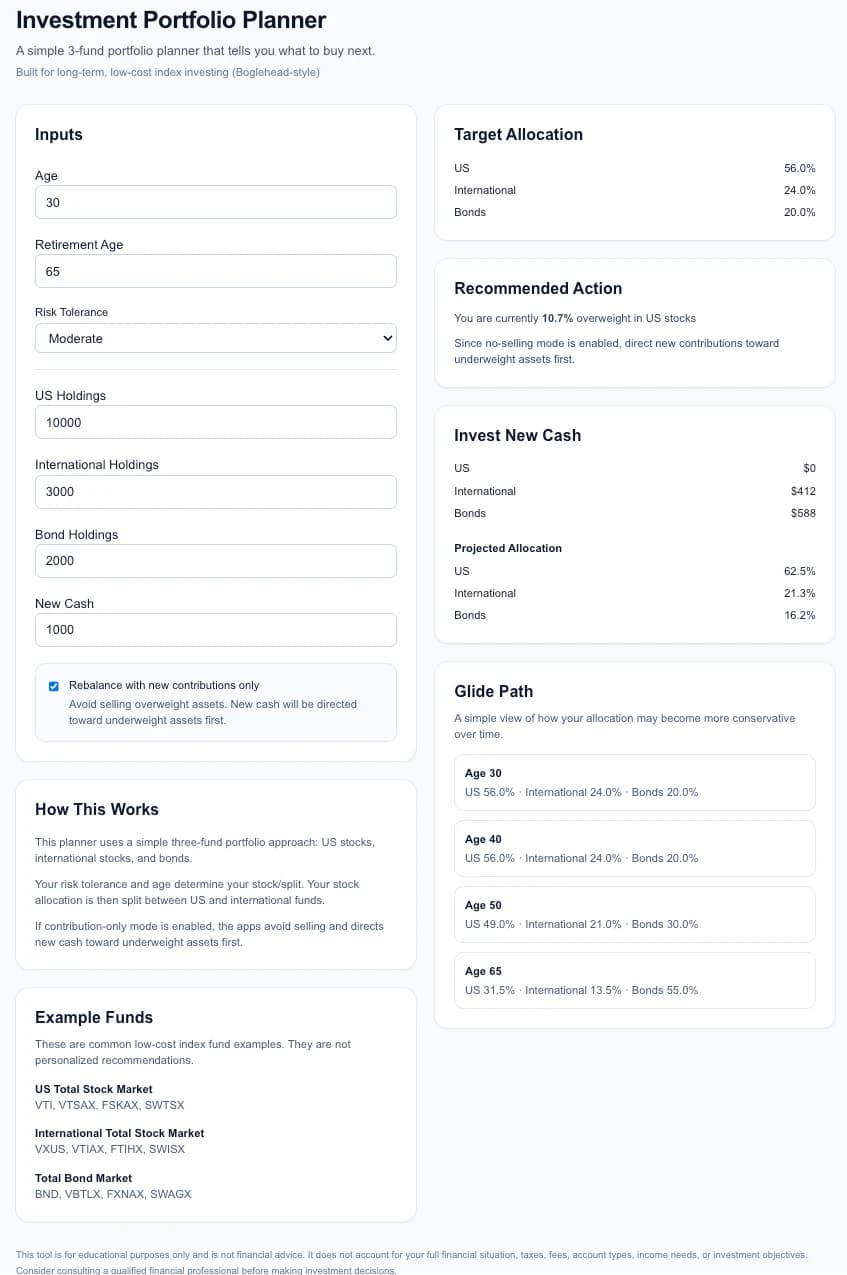
Investment Portfolio Planner is a web application designed to help investors manage a simple three-fund portfolio using principles popularized by the Boglehead investing community.
The application calculates target portfolio allocations based on the investor's age, retirement timeline, and risk tolerance, then provides actionable recommendations for rebalancing existing holdings or investing new contributions.
The Problem
While following a passive index investing strategy, I found myself repeatedly using spreadsheets to answer the same questions:
- Am I currently aligned with my target allocation?
- How far has my portfolio drifted from its target?
- What should I buy next?
- How can I rebalance without selling investments and creating potential tax consequences?
Most investing tools focus on performance tracking rather than providing clear portfolio allocation guidance. I wanted a simple tool that could quickly answer these questions and generate actionable recommendations.
The Solution
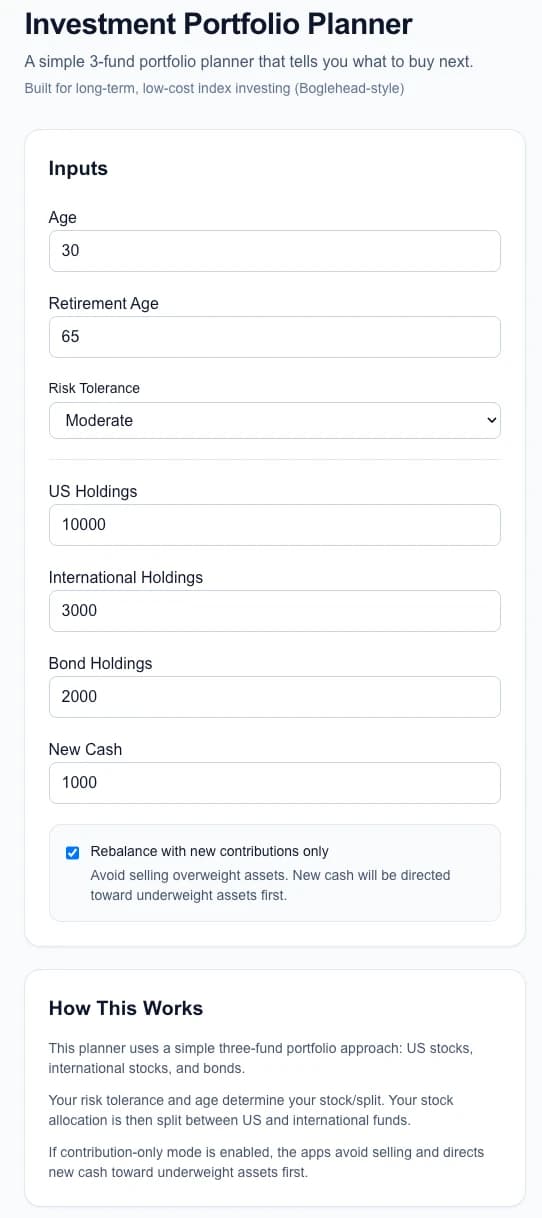
I built a portfolio planning application that allows users to:
- Enter their current portfolio holdings
- Select their age, retirement age, and risk tolerance
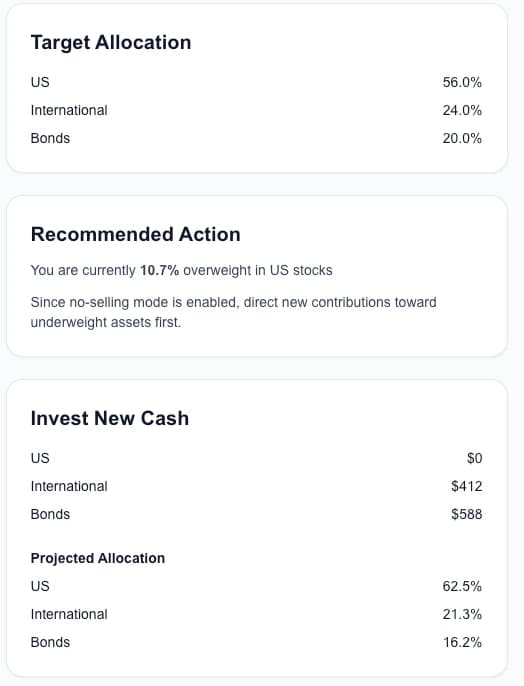
- View a recommended target allocation
- Analyze allocation drift
- Generate rebalancing recommendations
- Create contribution-only buy plans that avoid selling assets
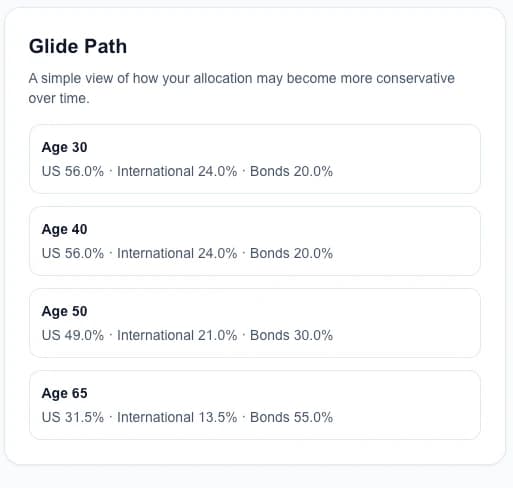
- Visualize a simple glide path as retirement approaches
The goal was to keep the experience simple and focused while providing practical guidance for long-term index investors.
Key Features
Target Allocation Calculation
Generates a recommended allocation across:
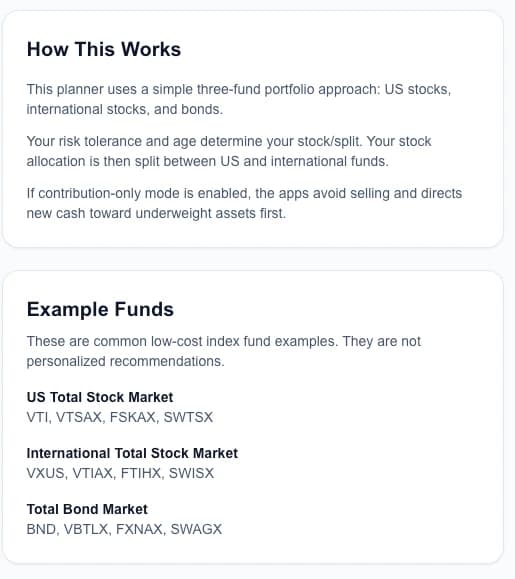
- US Total Stock Market
- International Total Stock Market
- Total Bond Market
based on age, retirement horizon, and risk tolerance.
Portfolio Rebalancing
Calculates:
- Current allocation percentages
- Allocation drift
- Buy recommendations
- Sell recommendations
- Overall rebalance status
Contribution-Only Rebalancing
One of the application's most useful features is a “No Selling Mode” that directs new contributions toward underweight assets first.
This allows investors to move closer to their target allocation without triggering taxable events from selling existing positions.
Glide Path Visualization
Provides a simple projection showing how portfolio allocations may evolve over time as an investor approaches retirement.
Persistent User Inputs
User inputs are automatically stored in local browser storage so that portfolios persist across sessions without requiring authentication or a backend database.
Technical Details
Frontend
- Next.js
- React
- TypeScript
- Tailwind CSS
Architecture
The application uses:
- Modular React components
- Reusable utility libraries
- Strong TypeScript typing
- Memoized calculations using React hooks
- Local storage persistence
The portfolio calculation engine is separated from the UI layer, making allocation logic independently testable and easier to maintain.
Challenges
One challenge was handling client-side persistence while avoiding hydration mismatches in a Next.js environment. The solution involved carefully separating server-rendered and client-rendered state while maintaining a responsive user experience.
What I Learned
This project reinforced several areas of frontend development:
- Component architecture and refactoring
- TypeScript type design
- State management patterns
- Next.js rendering behavior
- Building financial calculation engines
- Iterative product development through user feedback
Future Improvements
Potential future enhancements include:
- Multiple portfolio strategies
- Tax-aware asset allocation recommendations
- Account-specific allocation planning
- Historical portfolio tracking
- Brokerage integrations
- Enhanced educational content and guidance
Live Demo
View Live Demo
Source Code
View GitHub Repository
Screenshots